
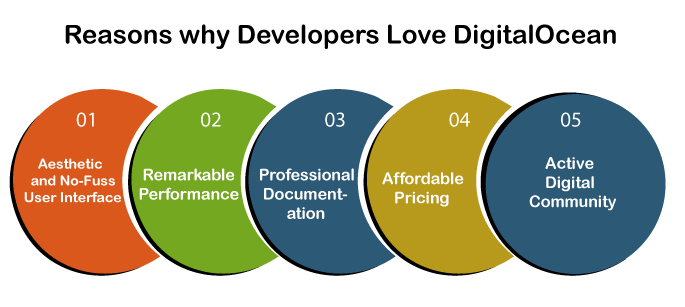
In today's fast-paced digital world, cloud computing has become an essential tool for businesses and individuals alike. It offers a cost-effective and efficient way to store, manage, and access data and applications. One of the leading players in the cloud computing market is DigitalOcean, a popular cloud infrastructure provider known for its simplicity, reliability, and affordability.
DigitalOcean offers a range of services, but one of its most popular offerings is its virtual servers, known as "Droplets." These Droplets are essentially virtual machines that can be provisioned quickly and easily, making them ideal for a variety of use cases, from hosting websites to running complex applications. However, to truly harness the power of DigitalOcean Droplets, it is essential to have a thorough understanding of their features and capabilities. In this comprehensive guide, we will delve into everything you need to know about mastering DigitalOcean Droplets for efficient cloud computing.
Creating and Managing DigitalOcean Droplets: A Step-by-Step Tutorial
Before we dive into the technical details, let's first understand how to create and manage DigitalOcean Droplets. The process is straightforward and can be completed in just a few steps.
Creating a DigitalOcean Account
The first step to using DigitalOcean Droplets is to create a DigitalOcean account. Simply head to their website and click on the "Sign Up" button. You will be prompted to enter your email address and password, and then verify your email address. Once your account is created, you can log in and start exploring the platform.
Creating a Droplet
To create a Droplet, click on the "Create" button on the top right corner of the DigitalOcean dashboard. You will be presented with a variety of options, including the Droplet size, operating system, and region. Choose the options that best suit your needs and click on "Create Droplet." Your Droplet will be provisioned in a matter of seconds.
Managing Droplets
Once your Droplet is created, you can manage it from the DigitalOcean dashboard. You can start, stop, or restart your Droplet with just a few clicks. You can also access the console, view resource usage, and manage backups and snapshots. DigitalOcean also offers a variety of one-click applications that can be installed on your Droplet, making it easy to set up popular tools and frameworks.
Optimizing DigitalOcean Droplets for Performance and Cost-Effectiveness

While creating and managing Droplets is relatively simple, optimizing them for performance and cost-effectiveness requires some knowledge and expertise. Here are some tips to help you get the most out of your DigitalOcean Droplets.
Choose the Right Size
DigitalOcean offers a range of Droplet sizes, each with different amounts of RAM, CPU cores, and storage. It is essential to choose the right size for your workload to ensure optimal performance and cost-effectiveness. If your Droplet is too small, it may struggle to handle your workload, resulting in slow performance. On the other hand, if your Droplet is too large, you may end up paying for resources that you don't need. Consider your current and future needs when selecting the size of your Droplet.
Use Monitoring Tools
DigitalOcean offers built-in monitoring tools that allow you to track the performance of your Droplets. These tools provide real-time insights into resource usage, network traffic, and disk I/O. By regularly monitoring your Droplets, you can identify any performance issues and take necessary actions to optimize them.
Utilize Load Balancers
If you have multiple Droplets handling high traffic, it is recommended to use DigitalOcean's load balancers. Load balancers distribute incoming traffic across multiple Droplets, ensuring that no single Droplet is overloaded. This not only improves performance but also increases the availability of your applications.
Automating Droplet Management with DigitalOcean's API
DigitalOcean offers a robust API that allows you to automate various tasks related to Droplet management. This can be particularly useful for businesses and individuals who have multiple Droplets and need to perform repetitive tasks regularly. Here are some examples of what you can do with DigitalOcean's API:
Create and Delete Droplets
Using the API, you can create and delete Droplets programmatically. This can be useful if you need to spin up new Droplets on demand or shut down unused ones to save costs.
Manage DNS Records
DigitalOcean's API also allows you to manage DNS records for your Droplets. You can add, update, or delete DNS records, making it easy to manage your domain names and point them to the correct Droplets.
Automate Backups and Snapshots
With the API, you can schedule backups and snapshots of your Droplets. This ensures that your data is always backed up and can be easily restored in case of any issues.
Securing DigitalOcean Droplets: Best Practices for Cloud Security
Security is a top concern for anyone using cloud computing services, and DigitalOcean is no exception. While DigitalOcean has robust security measures in place, there are still some best practices that users should follow to ensure the security of their Droplets.
Use SSH Keys
When creating a Droplet, you have the option to use SSH keys instead of a password for authentication. This is a more secure method as it eliminates the risk of brute force attacks on your Droplet. It is recommended to use SSH keys for all your Droplets.
Enable Two-Factor Authentication
DigitalOcean offers two-factor authentication (2FA) for added security. With 2FA enabled, you will need to enter a unique code from your phone every time you log in to your account. This adds an extra layer of protection against unauthorized access.
Regularly Update Software
It is essential to keep your software and applications on your Droplets up to date. DigitalOcean regularly releases security patches, and it is crucial to apply them promptly to ensure the security of your Droplets.
Scaling DigitalOcean Droplets: Handling Growing Traffic and Workloads
One of the significant advantages of using DigitalOcean Droplets is their scalability. As your business grows and your traffic increases, you can easily scale your Droplets to handle the additional load. Here are some ways to scale your Droplets effectively.
Vertical Scaling
Vertical scaling involves increasing the resources (CPU, RAM, storage) of your existing Droplet. This can be done quickly and easily from the DigitalOcean dashboard. However, there is a limit to how much you can vertically scale a Droplet, and it may not be the most cost-effective option in the long run.
Horizontal Scaling
Horizontal scaling involves adding more Droplets to your infrastructure to handle increased traffic and workloads. This is a more cost-effective approach as you only pay for the resources you need. DigitalOcean's load balancers make it easy to distribute traffic across multiple Droplets, making horizontal scaling a viable option for handling growing workloads.
Troubleshooting Common DigitalOcean Droplet Issues
While DigitalOcean Droplets are known for their reliability, there may be times when you encounter issues with your Droplets. Here are some common issues and how to troubleshoot them.
Slow Performance
If your Droplet is experiencing slow performance, it could be due to a variety of reasons, such as insufficient resources, high network traffic, or poorly optimized applications. Start by monitoring your Droplet's resource usage and network traffic to identify any bottlenecks. If necessary, consider upgrading your Droplet or optimizing your applications.
Downtime
Downtime can be caused by a variety of factors, such as server maintenance, network issues, or software updates. If your Droplet is experiencing frequent downtime, it is recommended to check the DigitalOcean status page for any ongoing issues. You can also set up alerts to notify you in case of any downtime.
Advanced Droplet Features for Enhanced Cloud Functionality
In addition to the standard features, DigitalOcean offers some advanced features that can enhance your cloud computing experience. Here are some notable ones:
Block Storage
DigitalOcean's block storage allows you to attach additional storage volumes to your Droplets. This is useful if you need more storage space for your applications or databases.
Private Networking
Private networking allows you to create a private network between your Droplets, making it easier to transfer data between them securely.
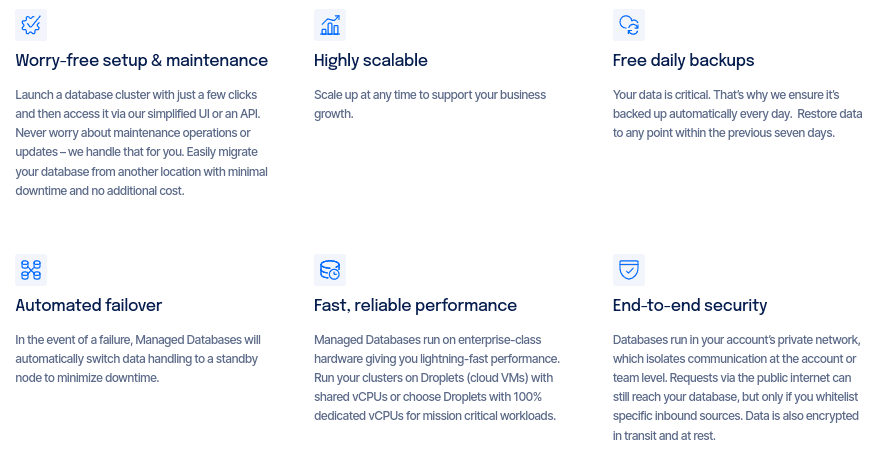
Managed Databases
DigitalOcean's managed databases offer a fully managed database solution for your applications. This eliminates the need to manage and maintain your own database servers, saving you time and effort.
Case Studies: Real-World Examples of Effective DigitalOcean Droplet Usage
To truly understand the power of DigitalOcean Droplets, let's take a look at some real-world examples of businesses and individuals using them effectively.
Startup Company
A startup company with limited resources can benefit greatly from using DigitalOcean Droplets. They can easily spin up multiple Droplets to host their website, application, and databases, without having to invest in expensive infrastructure. As their business grows, they can scale their Droplets to handle increased traffic and workloads.
E-commerce Website
An e-commerce website can use DigitalOcean Droplets to host their website, store customer data, and run their online store. With load balancers and horizontal scaling, they can handle high traffic during peak shopping seasons without any downtime or slow performance.
Software Development Team
A software development team can use DigitalOcean Droplets to create development and testing environments for their applications. With the API, they can automate the process of creating and deleting Droplets, making it easy to spin up new environments for different projects.
Future Trends in DigitalOcean Droplets and Cloud Computing
As technology continues to evolve, so does the world of cloud computing. Here are some future trends that we can expect to see in DigitalOcean Droplets and cloud computing in general:
Serverless Computing
Serverless computing is gaining popularity as it allows developers to run code without having to manage servers or infrastructure. DigitalOcean has recently launched its serverless platform, App Platform, which allows users to deploy and scale applications without worrying about servers.
Artificial Intelligence and Machine Learning
With the rise of artificial intelligence and machine learning, there is a growing demand for high-performance computing resources. DigitalOcean has introduced GPU-optimized Droplets, making it easier for businesses and individuals to leverage these technologies without investing in expensive hardware.
Edge Computing
Edge computing is becoming increasingly important as more devices become connected to the internet. DigitalOcean has recently announced its partnership with Fastly, a leading edge cloud platform, to offer a seamless experience for developers looking to deploy applications at the edge.
Video
Conclusion
DigitalOcean Droplets offer a simple, reliable, and cost-effective way to harness the power of cloud computing. By following the tips and best practices outlined in this guide, you can optimize your Droplets for performance and cost-effectiveness, automate management tasks, and ensure the security of your data. With advanced features and real-world examples, you can see how DigitalOcean Droplets can be used effectively for a variety of use cases. As cloud computing continues to evolve, DigitalOcean will undoubtedly continue to innovate and provide even more powerful tools for efficient cloud computing. So go ahead and master DigitalOcean Droplets for your cloud computing needs!






0 Comments