

Introduction to Virtual Machines
Overview of Virtual Machines
Virtual machines are software emulations of physical computers that can run various operating systems and applications. They allow multiple virtualized environments to operate on a single physical machine, enabling efficient resource utilization and easy scalability. Each virtual machine is isolated from others, providing enhanced security and preventing system failures from affecting other VMs.Benefits of Using Virtual Machines
**Comparison between Physical Servers and Virtual Machines:**| Aspect | Physical Servers | Virtual Machines |
|---|---|---|
| Resource Utilization | Limited by hardware capacity | Efficient with dynamic allocation of resources |
| Scalability | Requires additional physical servers for expansion | Easily scalable without acquiring new hardware |
| Isolation | Each server operates independently | Enhanced security through isolation between VMs |
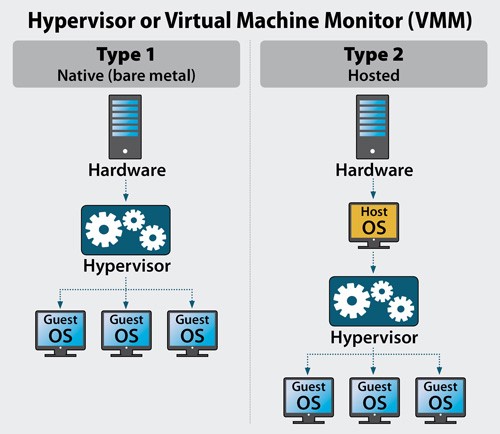
As an expert in virtualization technologies, he elaborates on the different types available.
Types of Virtualization
Hypervisor-Based Virtualization
Hypervisor-based virtualization involves a software layer known as a hypervisor that enables multiple operating systems to run on a single physical machine concurrently. This type of virtualization provides efficient resource utilization by managing and distributing resources to each virtual machine.Hardware-Assisted Virtualization
Hardware-assisted virtualization utilizes specific processor features to improve the performance and efficiency of virtual machines. By offloading certain tasks to the hardware level, this type of virtualization enhances overall system performance and reduces latency.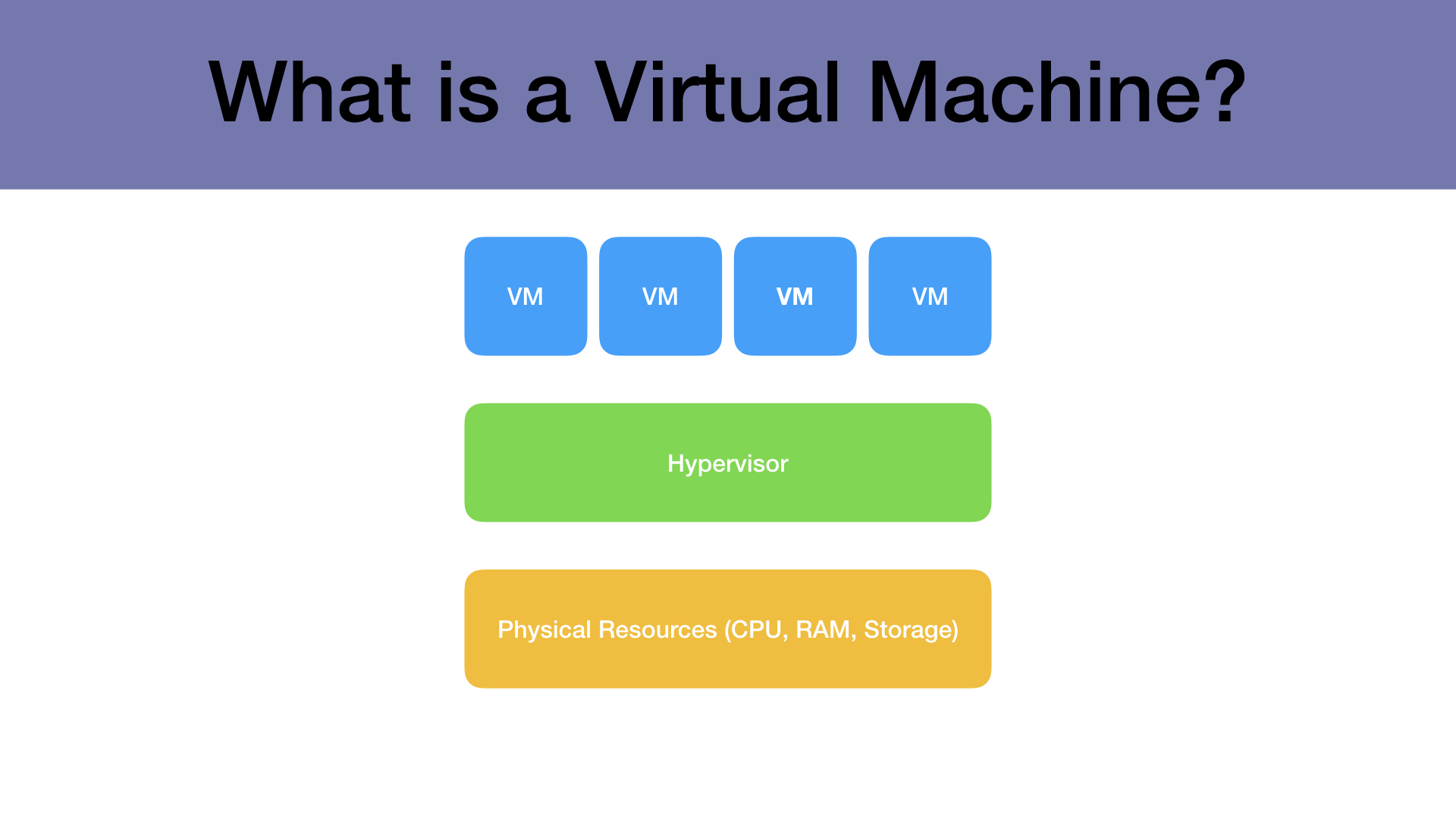
Components of a Virtual Machine
Virtual CPUs
As an expert in virtualization technologies, he explains the essential components of virtual machines. Virtual CPUs are a crucial element that allows multiple virtual machines to run simultaneously on a physical server, enabling efficient workload distribution and resource optimization. By allocating virtual CPUs to each machine, the system can ensure smooth operation and prevent resource conflicts.Virtual Memory
Delving into the world of virtualization, he emphasizes the significance of virtual memory within a virtual machine environment. Virtual memory enables each virtual machine to have its own isolated memory allocation, ensuring data security and performance efficiency. By managing and allocating virtual memory effectively, the system maintains seamless operation across multiple machines while enhancing overall system reliability.
Components of a Virtual Machine
Virtual CPUs
In the expert's discourse on virtualization technologies, **Virtual CPUs** stand out as a critical component enabling concurrent operation of multiple virtual machines on a physical server. This functionality facilitates effective workload distribution and resource utilization by providing dedicated CPU resources to each machine, ensuring smooth performance without resource conflicts.Virtual Memory
Within the realm of virtualization, **Virtual Memory** plays a pivotal role in segregating memory allocations for individual virtual machines. This isolation enhances data security and operational efficiency across various VMs. Proper management and allocation of virtual memory ensure consistent system operation and reliability through optimized performance.Creating a Virtual Machine
Setting up Virtual Machine Software
When initiating the creation process, configuring essential **Virtual Machine Software** becomes paramount. Selecting appropriate software lays the foundation for building functional VM environments that align with specific requirements and operational objectives.Installing an Operating System
An integral step in creating a VM involves **Installing an Operating System** tailored to the intended tasks. Choosing an OS that complements the workload ensures seamless compatibility and optimal performance within the virtualized environment. The selection process should consider factors such as resource utilization and application compatibility to maximize efficiency.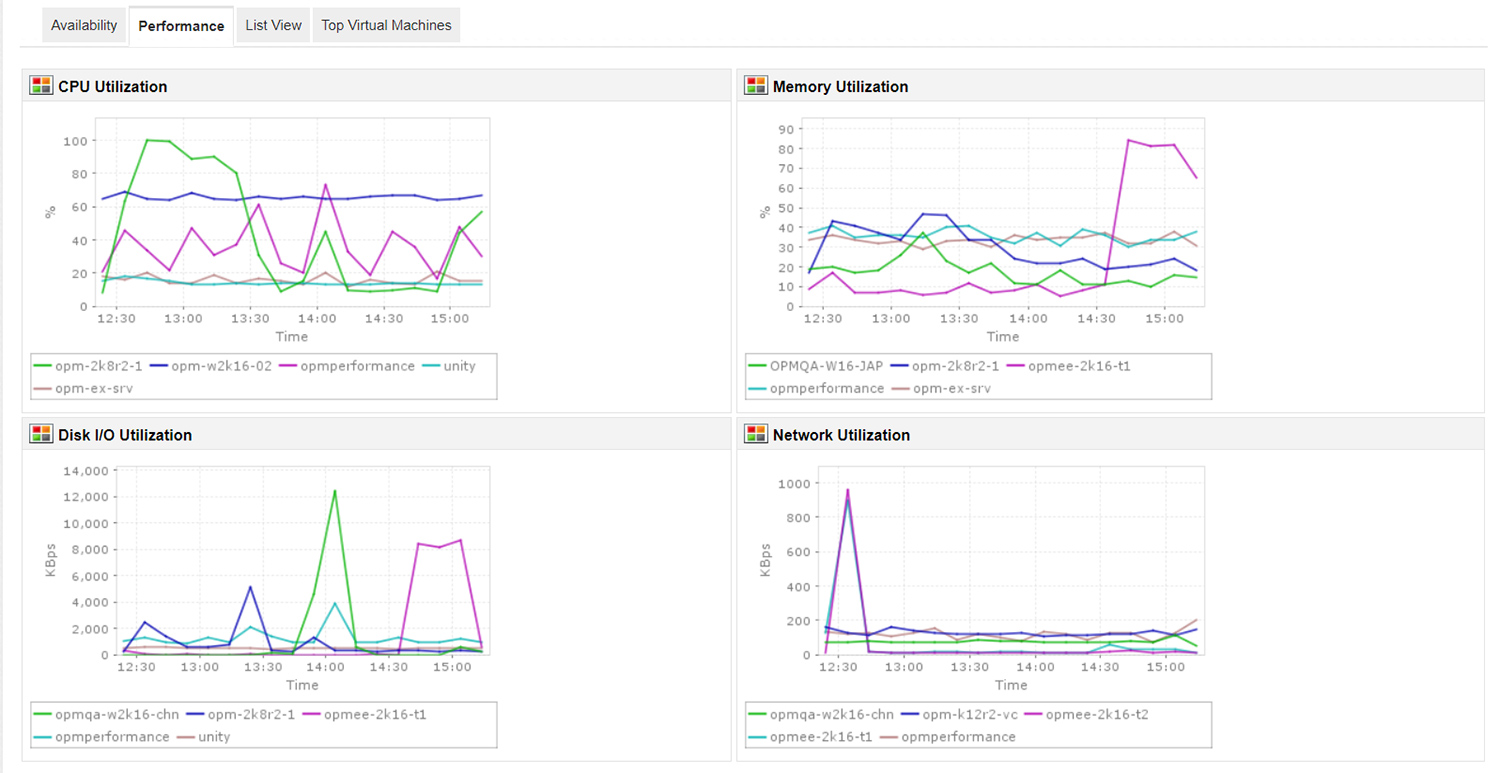
Managing Virtual Machines
Monitoring Performance
In the realm of virtualization, monitoring performance metrics becomes crucial in ensuring optimal operational efficiency. By tracking **Virtual Machine** performance indicators, IT professionals can identify and address potential bottlenecks or issues proactively, thereby maintaining a seamless computing environment for enhanced productivity and user experience.Allocating Resources
Efficient resource allocation is essential for maximizing the capabilities of **Virtual Machines** within a virtualized infrastructure. Properly assigning CPU, memory, and storage resources based on workload demands ensures consistent performance levels across multiple VMs, promoting system stability and scalability for dynamic business requirements. Strategic resource management remains integral to achieving optimal utilization of virtualized environments.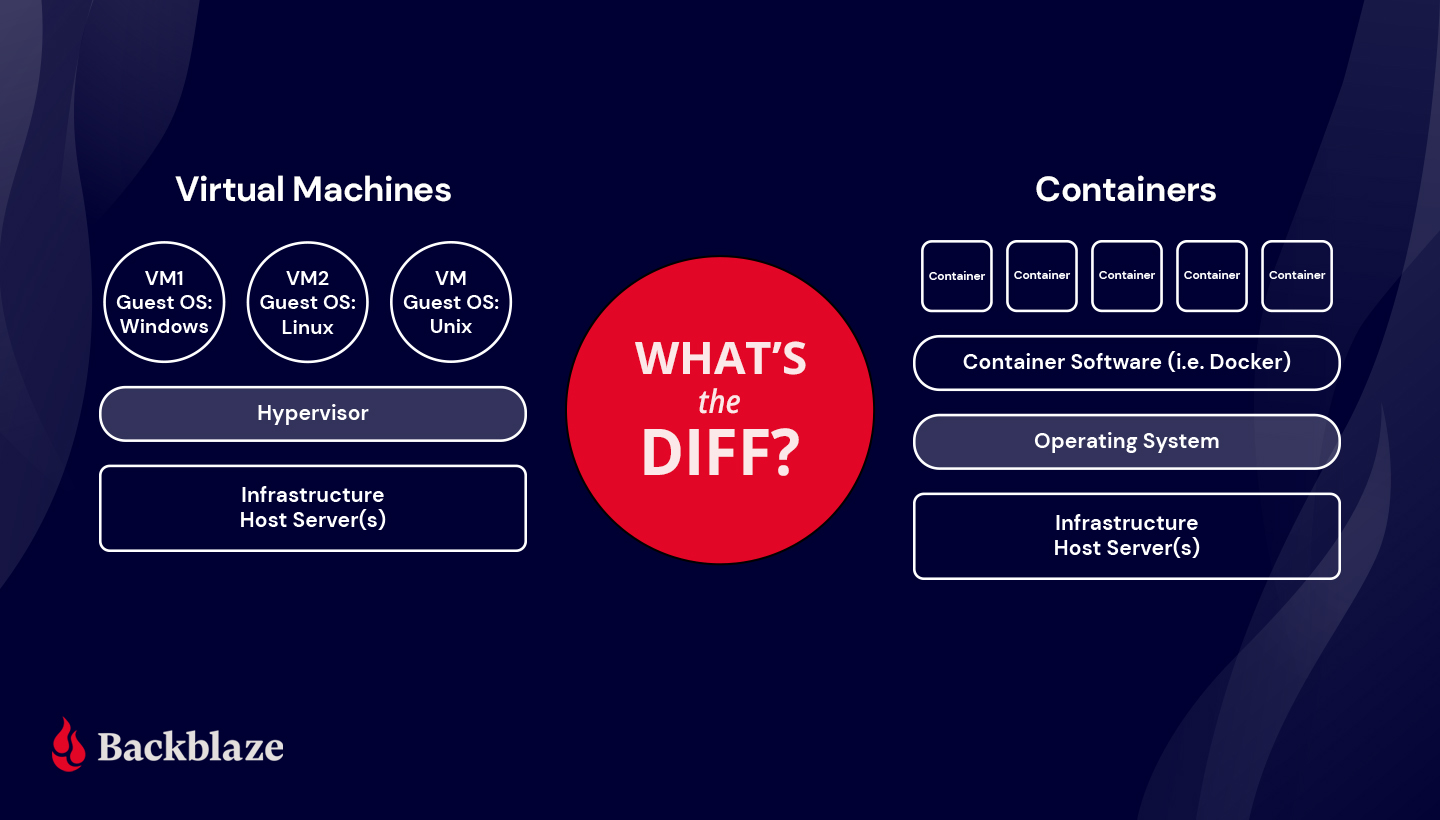
Backing Up Virtual Machines
Importance of Regular Backups
In the virtualization landscape, regular backups are indispensable for safeguarding **Virtual Machines** and their data from potential data loss or system failures. By implementing consistent backup strategies, organizations can mitigate risks associated with unexpected events and ensure data integrity and business continuity in virtualized environments.Methods for Backing Up Virtual Machines
Utilizing various backup methods such as full backups, incremental backups, or snapshot-based backups is essential in preserving the state of **Virtual Machines** effectively. Each method offers unique advantages in terms of recovery time objectives and storage efficiency, enabling IT teams to tailor their backup approach based on specific operational needs while considering factors like data size and recovery priorities.





0 Comments