
In today's fast-paced and ever-changing business landscape, managing workloads has become a critical aspect of IT operations. With the increasing demand for efficient and scalable solutions, organizations are constantly looking for ways to streamline their workload management processes. This is where vCenter comes in - a powerful and comprehensive tool that simplifies and optimizes workload management.
vCenter is a centralized platform that enables organizations to manage their virtualized infrastructure, including servers, storage, and networks. It provides a single point of control for all virtual machines, making it easier to monitor, automate, and optimize workloads. In this blog post, we will explore how vCenter can help organizations achieve better workload management, from optimizing performance to ensuring security and compliance.
Simplified Workload Management with vCenter
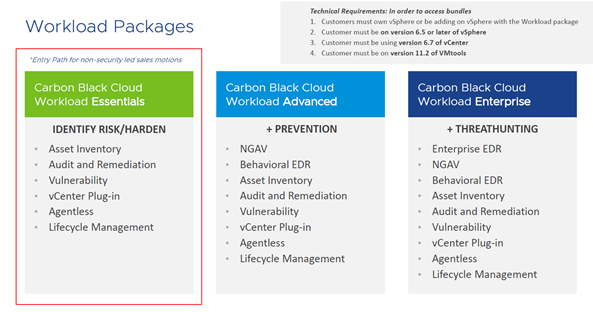
Traditionally, managing workloads involved manually configuring and monitoring each individual server, which was not only time-consuming but also prone to errors. With vCenter, organizations can simplify their workload management by centralizing control and automating tasks.
Centralized Control with vCenter
One of the key benefits of using vCenter for workload management is its centralized control. By connecting all virtual machines to a single platform, vCenter allows administrators to manage and monitor workloads from a single interface. This eliminates the need for multiple tools and reduces the risk of errors caused by manual configuration.
Moreover, vCenter provides a holistic view of the entire virtualized infrastructure, allowing administrators to quickly identify and troubleshoot any issues that may arise. This level of visibility is crucial for maintaining optimal performance and ensuring the smooth operation of workloads.
Automating Tasks with vCenter
Another advantage of using vCenter for workload management is its automation capabilities. With vCenter, organizations can create workflows and automate routine tasks, such as provisioning new virtual machines, migrating workloads, or performing backups. This not only saves time and effort but also reduces the risk of human error.
Moreover, vCenter's automation capabilities can help organizations achieve better workload balancing. By monitoring resource usage and automatically reallocating resources as needed, vCenter ensures that workloads are evenly distributed across the virtualized infrastructure, optimizing performance and avoiding potential bottlenecks.
Optimizing Workloads through vCenter's Centralized Control
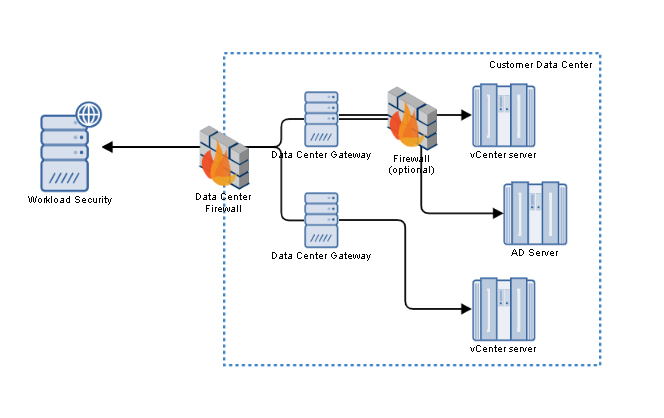
In addition to simplifying workload management, vCenter also offers a range of features that help organizations optimize their workloads for better performance and efficiency.
Resource Optimization with vCenter
One of the key challenges in managing workloads is ensuring that resources are allocated efficiently. With vCenter, organizations can leverage its resource optimization capabilities to achieve this goal. By monitoring resource usage and identifying any underutilized or overutilized resources, vCenter allows administrators to make informed decisions about resource allocation.
For example, if a particular virtual machine is using more resources than it needs, vCenter can automatically reallocate those resources to other workloads, ensuring optimal performance and avoiding wastage. This level of resource optimization is crucial for organizations looking to achieve scalability and efficiency in their workload management processes.
Scalability with vCenter
As organizations grow and their workload demands increase, it becomes essential to have a scalable solution in place. vCenter offers the flexibility and scalability needed to accommodate changing workload requirements. With vCenter, organizations can easily add new virtual machines, scale up or down resources, and migrate workloads as needed.
Moreover, vCenter's centralized control and automation capabilities make it easier to manage a growing number of workloads without adding additional resources or increasing administrative overhead. This not only saves costs but also ensures that workloads are managed efficiently and effectively.
Automating Workload Management with vCenter's Orchestration Capabilities
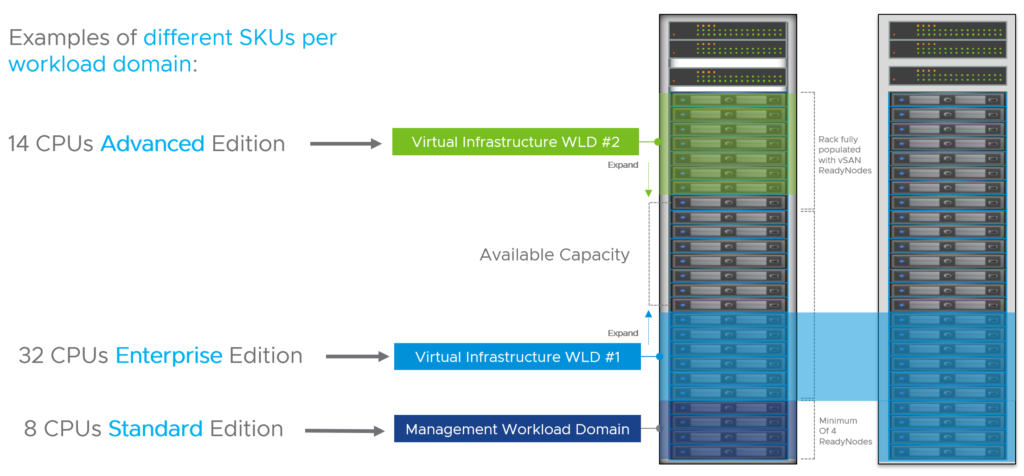
In addition to automating routine tasks, vCenter also offers orchestration capabilities that allow organizations to automate complex workflows and processes.
Orchestration with vCenter
vCenter's orchestration capabilities enable organizations to automate the deployment, configuration, and management of workloads. By creating workflows that include multiple tasks and processes, organizations can streamline their workload management processes and reduce the risk of errors caused by manual intervention.
For example, organizations can create a workflow that automatically provisions a new virtual machine, installs necessary software, and configures network settings. This not only saves time but also ensures consistency and accuracy in the deployment process.
Self-Service Provisioning with vCenter
Another advantage of using vCenter for workload management is its self-service provisioning feature. With vCenter, organizations can set up a self-service portal where users can request new virtual machines or resources without involving IT administrators. This not only speeds up the provisioning process but also reduces the burden on IT staff.
Moreover, vCenter's self-service provisioning feature allows organizations to set up policies and controls to ensure that resources are allocated appropriately. For example, organizations can set limits on the number of virtual machines a user can request or restrict access to certain resources based on user roles.
Enhancing Workload Visibility with vCenter's Monitoring Tools
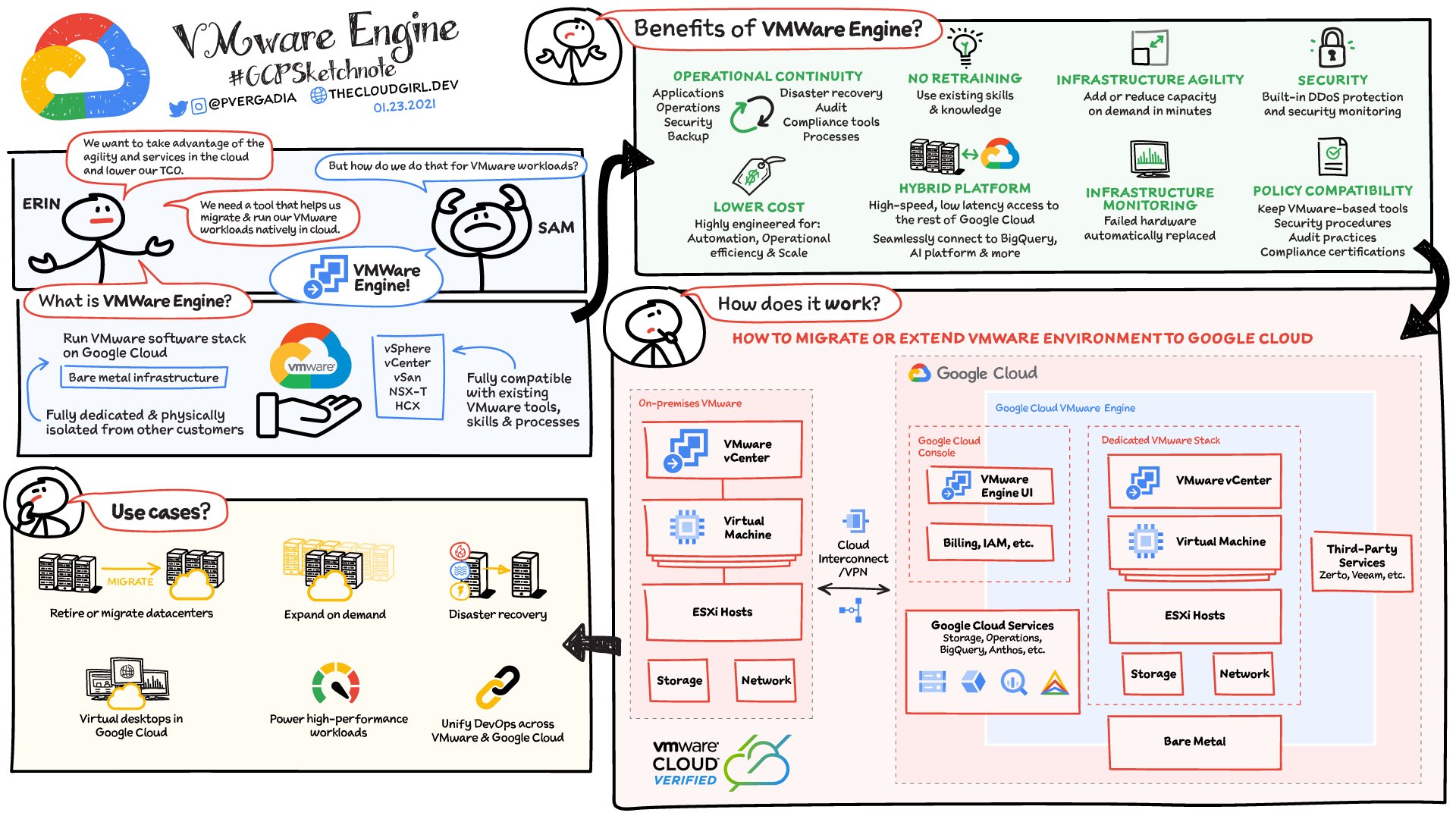
Effective workload management requires visibility into the performance and health of workloads. vCenter offers a range of monitoring tools that enable organizations to track and analyze workload metrics, identify potential issues, and take proactive measures to optimize performance.
Performance Monitoring with vCenter
vCenter's performance monitoring tools allow organizations to track key metrics such as CPU usage, memory utilization, and storage capacity. By analyzing this data, administrators can identify any bottlenecks or resource constraints that may be affecting workload performance.
Moreover, vCenter's performance monitoring tools provide real-time data, allowing administrators to quickly respond to any issues that may arise. This level of visibility is crucial for maintaining optimal performance and avoiding downtime.
Health Monitoring with vCenter
In addition to performance monitoring, vCenter also offers health monitoring tools that allow organizations to track the overall health of their virtualized infrastructure. This includes monitoring for any potential hardware failures, network issues, or software errors that may affect workload performance.
Moreover, vCenter's health monitoring tools provide alerts and notifications when an issue is detected, allowing administrators to take immediate action to resolve the problem. This proactive approach to monitoring helps organizations avoid downtime and maintain the stability of their workloads.
Disaster Recovery and Business Continuity with vCenter-Managed Workloads

Disaster recovery and business continuity are critical aspects of workload management. With vCenter, organizations can ensure that their workloads are protected and can quickly recover in the event of a disaster.
Disaster Recovery with vCenter
vCenter offers a range of features that enable organizations to implement effective disaster recovery strategies for their workloads. By leveraging vCenter's centralized control and automation capabilities, organizations can easily replicate their virtual machines to a secondary site, ensuring that they have a backup in case of a disaster.
Moreover, vCenter's orchestration capabilities allow organizations to automate the failover process, minimizing downtime and ensuring a quick recovery. This level of disaster recovery planning is crucial for organizations looking to protect their workloads and maintain business continuity.
Business Continuity with vCenter
In addition to disaster recovery, vCenter also offers features that help organizations achieve business continuity. By automating routine tasks and providing real-time visibility into workload performance, vCenter ensures that workloads are running smoothly and efficiently.
Moreover, vCenter's scalability and resource optimization capabilities allow organizations to quickly adapt to changing workload demands, ensuring that critical business processes are not affected. This level of business continuity planning is essential for organizations looking to minimize disruptions and maintain operations.
Security and Compliance in Workload Management with vCenter

With the increasing threat of cyber attacks and data breaches, security and compliance have become top priorities for organizations. vCenter offers a range of features that help organizations ensure the security and compliance of their workloads.
Security with vCenter
vCenter's security features include role-based access control, which allows organizations to restrict access to certain resources based on user roles. This helps prevent unauthorized access to sensitive data and ensures that only authorized users can make changes to workloads.
Moreover, vCenter also offers features such as virtual machine encryption and secure boot, which help protect workloads from external threats. By encrypting virtual machines and ensuring that they are booted securely, organizations can mitigate the risk of data breaches and cyber attacks.
Compliance with vCenter
In addition to security, vCenter also helps organizations achieve compliance with industry regulations and standards. By providing audit logs and reports, vCenter allows organizations to track changes made to workloads and ensure that they are in line with compliance requirements.
Moreover, vCenter's automation capabilities can help organizations enforce compliance policies by automatically applying security patches or updates to workloads. This not only saves time but also ensures that workloads are always up to date and compliant.
Best Practices for Effective Workload Management with vCenter

To get the most out of vCenter for workload management, organizations should follow some best practices to ensure optimal performance and efficiency.
Regular Maintenance and Updates
Regular maintenance and updates are crucial for keeping vCenter and its components running smoothly. Organizations should schedule regular maintenance tasks, such as database backups and software updates, to ensure that vCenter is always up to date and functioning properly.
Moreover, organizations should also regularly review and optimize their virtualized infrastructure to ensure that it is meeting workload demands and avoiding any potential issues.
Monitoring and Reporting
As mentioned earlier, monitoring and reporting are essential for effective workload management. Organizations should regularly monitor key metrics and generate reports to identify any issues or trends that may affect workload performance. This proactive approach can help organizations avoid downtime and maintain optimal performance.
Disaster Recovery Planning
Disaster recovery planning is crucial for ensuring the availability of workloads in the event of a disaster. Organizations should regularly review and update their disaster recovery plans to ensure that they are up to date and effective.
Moreover, organizations should also regularly test their disaster recovery processes to identify any potential issues and make necessary adjustments. This can help minimize downtime and ensure a quick recovery in case of a disaster.
The Future of Workload Management with vCenter
As technology continues to evolve, so does the need for efficient and scalable workload management solutions. With its comprehensive features and capabilities, vCenter is well-positioned to meet the demands of modern IT operations.
In the future, we can expect to see further advancements in vCenter's automation and orchestration capabilities, making it even easier for organizations to manage their workloads. Moreover, as virtualization becomes more prevalent, we can expect to see vCenter being used for managing workloads across multiple cloud environments, providing a centralized platform for workload management.
Conclusion
In today's fast-paced business landscape, managing workloads has become a critical aspect of IT operations. With the increasing demand for efficient and scalable solutions, organizations are turning to vCenter for simplified and optimized workload management.
From centralizing control and automating tasks to enhancing visibility and ensuring security and compliance, vCenter offers a range of features that help organizations achieve better workload management. By following best practices and leveraging vCenter's capabilities, organizations can streamline their workload management processes and ensure optimal performance and efficiency. As technology continues to evolve, we can expect vCenter to play an even more significant role in workload management, helping organizations stay ahead of the curve and achieve their business goals.






0 Comments